What Is Fractal Audio Visualization?
Fractal audio visualization is the real-time transformation of sound into infinitely complex mathematical imagery. Instead of simple waveform bars or generic particle effects, fractal audio visualization analyzes the full spectrum of music — rhythm, melody, harmony, and dynamics — and uses that analysis to drive the rendering of three-dimensional fractal geometry. The result is a music visualizer that doesn't just react to volume. It understands your music.
Fractal Forge is purpose-built audio-reactive fractal software that bridges the gap between professional audio analysis and GPU-accelerated fractal rendering. Every frame is a direct reflection of what you hear. Bass frequencies deepen and warp the fractal structure. Treble frequencies scatter light and shift color. Kick drums trigger psychedelic blooms. Melodies paint the color wheel. This is real-time visualization software where the mathematics literally dances to your music.
Traditional music visualizers operate on a single axis: amplitude. They get louder, they get bigger. Fractal Forge operates on fourteen axes simultaneously. It decomposes your audio signal into seven perceptual frequency bands, detects beats and tempo, identifies the dominant pitch, and maps all of that data onto fourteen independent visual parameters — from glow intensity to tunnel radius to fractal iteration depth. The difference between a basic visualizer and Fractal Forge is the difference between a metronome and a symphony orchestra.
How Audio Analysis Powers Fractal Visuals
At the core of Fractal Forge's audio-reactive engine is a 2048-bin Fast Fourier Transform powered by KissFFT. This decomposes the incoming audio signal (captured at 44.1kHz through PortAudio with less than 5 milliseconds of latency) into its constituent frequencies, giving the software a detailed snapshot of the audio spectrum approximately 21 times per second.
Raw FFT data is not perceptually meaningful to the human ear. A linear frequency distribution would devote enormous resolution to high frequencies that we barely distinguish while compressing the bass and midrange where most musical content lives. Fractal Forge solves this with 7-band perceptual analysis using mel-scale-inspired frequency mapping. The seven bands — sub-bass (20-60Hz), bass (60-250Hz), low-mid (250-500Hz), mid (500Hz-2kHz), upper-mid (2-4kHz), presence (4-6kHz), and brilliance (6-20kHz) — mirror how the human auditory system perceives sound. Each band is weighted and smoothed independently.
Beat detection uses adaptive thresholding combined with spectral flux analysis. Rather than relying on a simple volume threshold that fails on quiet music, Fractal Forge maintains a 30-frame history of energy levels and dynamically adjusts its sensitivity. Spectral flux — the rate of change across frequency bands — identifies percussive transients even in dense mixes. When a beat is detected, it triggers a 400-millisecond psychedelic bloom: a smooth, enveloped visual burst that peaks and decays naturally rather than flashing abruptly.
Tempo estimation works by measuring inter-beat intervals and computing the median over a rolling window, constrained to the 60-200 BPM range that covers virtually all commercial music. This BPM value then drives the breathing cycle that makes fractals expand and contract in time with the beat. The entire audio pipeline includes automatic gain control with a two-second history window, ensuring consistent visual response whether you're listening at whisper volume or concert levels.
14 Audio-Modulated Parameters
Where most music visualization software gives you a handful of controls, Fractal Forge exposes fourteen distinct parameters that respond to different aspects of the audio signal. Each parameter is mapped to specific frequency bands and audio features, creating a layered visual response that captures the full complexity of music.
- Glow — Driven by RMS energy and kick drum pulses. The overall luminous intensity of the fractal brightens with the energy of the track, with additional bloom on detected kicks.
- Color Speed — Controlled by the brilliance band and spectral centroid. High-frequency content and the overall brightness of the mix accelerate how quickly colors cycle through the palette.
- Hue Shift — Modulated by mid frequencies, snare detection, and pitch synesthesia. The primary hue rotates in response to melodic content and shifts sharply on snare hits.
- Saturation — Linked to tonal energy and harmonic strength. Harmonically rich passages produce vivid, saturated colors while percussive noise desaturates slightly.
- Twist — Responsive to mid-frequency energy and spectral flux. Melodic movement and rapid spectral changes twist the fractal geometry, creating spiraling distortions.
- Wobble — Driven by sub-bass and bass bands. Deep frequencies create a slow, organic wobble that warps the fractal structure at its foundation.
- Scale — Mapped to bass, low-mid, and the BPM breathing cycle. The fractal zooms in and out with the low-end energy and breathes rhythmically with the detected tempo.
- Tunnel Radius — Controlled by kick detection, bass energy, and breathing. In tunnel-style fractals, the passageway expands on kicks and breathes with the beat.
- Fog — Inversely mapped to percussive energy. Quiet, atmospheric moments thicken the fog for depth and mystery; hard-hitting sections clear it for sharp detail.
- Detail — Responds to onset detection and the presence band. Transient-rich passages and high-presence content increase the rendering detail and surface complexity.
- Travel Speed — Modulated by RMS energy and spectral flux. Energetic sections propel you through the fractal faster while calm passages slow the journey.
- Iterations — Linked to mid-frequency energy. Higher midrange activity increases the fractal iteration count, revealing deeper self-similar patterns.
- Symmetry — Driven by tonal and harmonic features. Harmonically consonant passages produce symmetrical structures while dissonant content breaks symmetry.
- Power — Mapped exclusively to sub-bass energy. The mathematical power exponent of the fractal formula itself shifts with the deepest frequencies, fundamentally altering the fractal shape.
Every one of these parameters can be individually enabled, disabled, or adjusted. You control the sensitivity, the smoothing, and the range for each mapping. The defaults are carefully tuned for a balanced experience, but the system rewards experimentation.
Pitch-to-Color Synesthesia
One of Fractal Forge's most distinctive features is its pitch-to-color synesthesia system. Inspired by the neurological condition where individuals perceive musical notes as colors, Fractal Forge performs 12-tone harmonic analysis in the 200Hz to 2kHz range and maps the detected pitch class to a position on the color wheel.
The mapping follows a consistent chromatic scheme: C maps to red (0 degrees), D to orange (60 degrees), E to yellow-green (120 degrees), F to green (150 degrees), G to cyan (210 degrees), A to blue (270 degrees), and B to violet (330 degrees). Each semitone advances 30 degrees around the color wheel, creating a complete chromatic-to-chromatic circle. When a melody ascends, the colors sweep smoothly through the spectrum. When chords change, the hue shifts to reflect the new harmonic center.
This means a song in the key of C major will be dominated by warm reds and oranges, while a piece in E minor will lean toward cool greens and teals. Jazz chord progressions produce constantly shifting prismatic patterns. Simple pop melodies create gentle, predictable color waves. The pitch-to-color system adds a layer of musicality that purely amplitude-based visualizers cannot achieve — it gives fractal audio visualization a sense of harmonic awareness that bridges the auditory and visual senses.
BPM-Locked Fractal Animation
Rhythm is the heartbeat of music, and BPM-locked animation is the heartbeat of Fractal Forge's visual output. Once the tempo estimation engine locks onto the beats per minute of a track, the fractal begins to breathe — expanding and contracting in a smooth sinusoidal cycle that matches the musical tempo precisely.
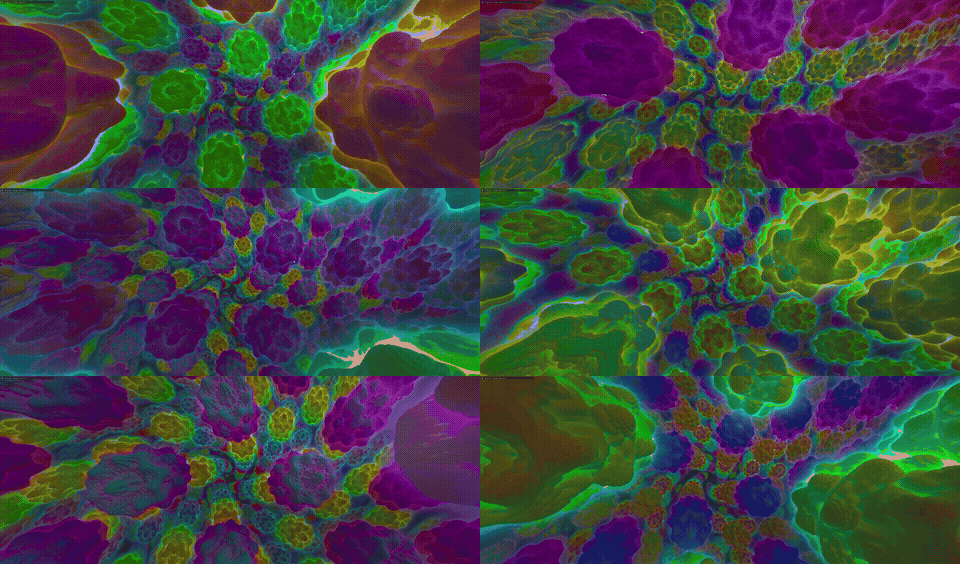
The breathing cycle affects scale, tunnel radius, and glow simultaneously, creating a pulsing, living quality that makes the fractal feel organic rather than mechanical. Each beat trigger overlays a 400-millisecond bloom — a fast attack with an exponential decay — on top of the breathing cycle. The bloom and the breath interact to produce complex, layered rhythmic motion that follows the music with a dancer's precision.
Smoothing is the critical variable. With the adjustable smoothing parameter (ranging from 0.5 to 0.98), you control how tightly the visuals follow the audio versus how much they flow and drift. At 0.5, the fractal is highly responsive — almost twitchy — reacting to every transient. At 0.98, the fractal moves like an underwater organism, responding only to broad, sustained changes. The default of 0.85 strikes a balance that works across most genres: responsive enough for EDM drops, smooth enough for ambient pads. All of this is designed with safety in mind — the 400ms bloom duration and capped brightness ensure there are no rapid flashes that could trigger photosensitive reactions.
53 Fractal Types for Music Visualization
Fractal Forge ships with 53 distinct fractal types, each rendered in real time on the GPU using ray marching and distance estimation. These fractal types span the major categories of fractal mathematics, giving you an enormous palette of visual styles to pair with different genres and moods.
Escape-time fractals include the iconic Mandelbulb — the three-dimensional generalization of the Mandelbrot set — along with the Mandelbox, Julia Set 3D, Burning Ship, Tricorn, Juliabulb, and several Multibrot variants. These fractals are defined by iterating a formula and checking whether the result escapes to infinity. They produce the most recognizable fractal imagery: intricate, infinitely detailed surfaces with dramatic depth. The Mandelbulb in particular responds beautifully to audio modulation — its bulbous structures expand with bass energy while fine surface detail emerges during high-frequency passages.
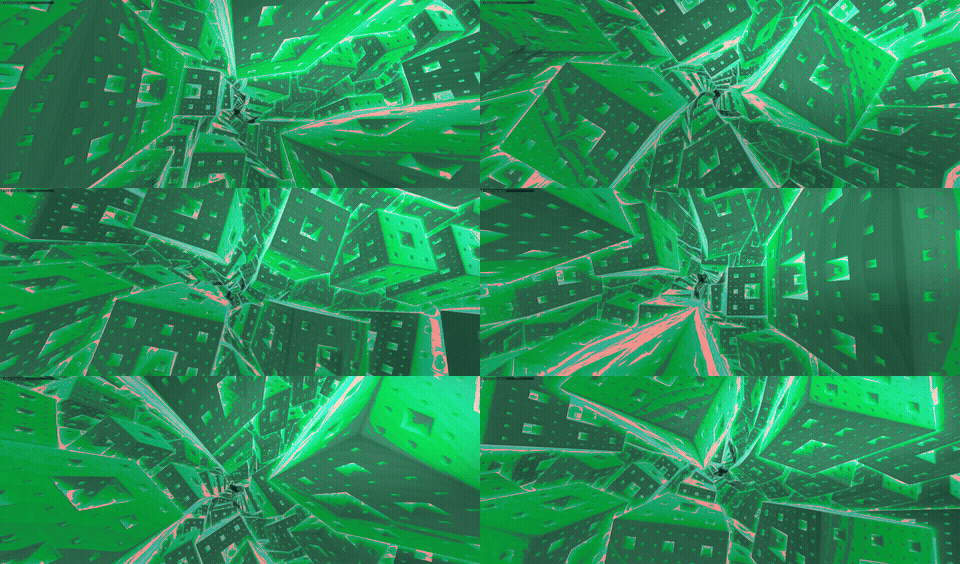
Iterated Function System (IFS) fractals include the Sierpinski pyramid, Menger Sponge, Kaleidoscopic IFS, and several polyhedral variants (Octahedral, Tetrahedral, Dodecahedral, Icosahedral). IFS fractals are constructed by repeatedly applying geometric transformations — folding, scaling, and rotating space. They produce crystalline, architectural structures that look like impossible buildings or alien temples. When audio modulation twists and wobbles these structures, they shift between geometric order and organic chaos. To understand the mathematical foundations behind these structures, see our guide on what fractals are and how they work.
Strange attractors like the Lorenz attractor, Rossler attractor, Clifford attractor, and De Jong attractor trace the trajectories of chaotic dynamical systems. These fractals appear as flowing, ribbon-like structures that naturally suit ambient and classical music. Audio modulation of their parameters pushes the system between ordered and chaotic regimes, making the visual complexity mirror the musical complexity.
Organic and sacred geometry fractals complete the collection: the Romanesco (inspired by the fractal vegetable), Barnsley Fern, Coral Growth, Flower of Life, and Metatron's Cube. These fractals bridge natural forms and geometric ideals. They are particularly effective for meditation-oriented visualization sessions, where the interplay of organic growth patterns and musical harmony creates an immersive, contemplative experience.
5 Genre-Optimized Presets
Not everyone wants to configure fourteen parameters by hand. Fractal Forge includes five genre-optimized presets that configure the entire audio-reactive pipeline for specific styles of music. Each preset adjusts smoothing, beat sensitivity, frequency band weighting, and parameter ranges to produce the best visual results for its target genre.
- Electronic / EDM — Smoothing: 0.80 | Beat Sensitivity: 0.8 | Fast, punchy response tuned for four-on-the-floor kicks, heavy bass drops, and wide stereo synths. Emphasizes glow, scale, and tunnel radius for maximum impact on beat drops. The most dramatic preset.
- Ambient — Smoothing: 0.95 | Beat Sensitivity: 0.2 | Ultra-smooth, flowing motion designed for atmospheric pads, drones, and textural soundscapes. Minimizes beat response and maximizes the pitch-to-color synesthesia for slow, meditative color transitions.
- Rock — Smoothing: 0.82 | Beat Sensitivity: 0.7 | Balanced responsiveness for guitar-driven music with strong drums. Emphasizes twist and wobble for mid-range guitar energy while maintaining solid kick and snare response through the glow and scale channels.
- Classical — Smoothing: 0.90 | Beat Sensitivity: 0.3 | Refined, elegant motion that tracks the dynamics and harmonic content of orchestral music. Reduces percussive triggers in favor of sustained tonal and harmonic modulation. The pitch-to-color system takes center stage, painting each key change across the fractal.
- Hip-Hop — Smoothing: 0.85 | Beat Sensitivity: 0.9 | Punchy, bass-heavy response tuned for 808 sub-bass, snappy snares, and rhythmic vocal flow. Maximizes the wobble and power parameters driven by sub-bass while keeping beat detection at near-maximum sensitivity for trap hi-hat patterns.
Presets serve as starting points. You can load a preset, then adjust individual parameters to taste. Once you have a configuration you like, save it as a custom preset for instant recall during future sessions.
Getting Started with Fractal Audio Visualization
Setting up fractal audio visualization in Fractal Forge takes less than two minutes. Follow these five steps to go from installation to your first music-reactive fractal experience.
- Download and install Fractal Forge. Grab the latest release from the official download page and run the installer. Fractal Forge requires Windows 10 or 11 with a GPU that supports OpenGL 4.3 or higher.
- Launch and select your audio device. When Fractal Forge starts, it will request microphone permission. Grant it, then select your preferred audio input from the settings panel. If you want to visualize system audio (Spotify, YouTube, a DAW), use your operating system's stereo mix or a virtual audio cable to route desktop audio to the input.
- Play music. Start your music from any source. Fractal Forge captures audio in real time through the selected input device. You should see the fractal immediately begin to respond.
- Choose a fractal type. Browse through the 53 available fractal types and select one that suits your mood. Mandelbulb and Psychedelic Tubes are great for energetic music. Organic Flow and Barnsley Fern work well for ambient sessions. Experiment freely — you can switch types at any time.
- Adjust parameters or pick a preset. Select one of the five genre presets for an instant configuration, or dive into the 14 individual audio-modulated parameters to build your own custom mapping. For tips on capturing your creations as screenshots or video, visit our fractal art guide.
That's it. Within moments you'll have a living fractal responding to every note, beat, and chord in your music. The entire interface is designed for immediacy — no configuration files, no command-line arguments, no shader coding. Just sound and mathematics, interacting in real time.
Frequently Asked Questions
What is fractal audio visualization?
Fractal audio visualization is the process of using real-time audio analysis to drive the rendering parameters of mathematical fractals. Sound characteristics like frequency, amplitude, beat, and pitch are mapped to visual properties such as color, scale, rotation, and glow. The result is a music visualizer that creates infinitely complex, self-similar imagery that moves and evolves in direct response to the music you play. Unlike basic waveform visualizers, fractal audio visualization captures the full complexity of music across multiple dimensions simultaneously.
How does music affect fractal visuals?
Fractal Forge analyzes your music across seven perceptual frequency bands using a 2048-bin FFT. Low frequencies (sub-bass and bass) drive the scale, wobble, and power of the fractal — making structures expand and deform with the bass line. Mid frequencies control twist, iterations, and detail, responding to vocals and melodic instruments. High frequencies modulate color speed and glow. On top of this, beat detection triggers visual blooms on kick and snare hits, and pitch detection maps the dominant musical note to a specific color on the color wheel. The combined effect is a visualization that responds to rhythm, melody, and harmony — not just volume.
What is the best music for fractal visualization?
Every genre produces compelling results because Fractal Forge includes genre-optimized presets that tune the audio response for different styles. Electronic music and EDM produce the most dramatic visuals thanks to strong beats, deep bass, and wide frequency content. Ambient music creates flowing, meditative patterns that emphasize the pitch-to-color synesthesia system. Classical music reveals beautiful harmonic color shifts and dynamic scaling. Hip-hop delivers punchy, rhythmic animation driven by 808 bass and snare patterns. Rock provides balanced energy across all visual parameters. The best music for fractal visualization is ultimately whatever you enjoy listening to.
Can I record fractal audio visualizations?
Yes. Fractal Forge includes built-in screenshot capture (press S) and video export functionality. You can record your fractal audio visualizations at full quality for use in music videos, live streaming overlays on Twitch or YouTube, art installations, social media content, or personal archives. The video export captures both the fractal rendering and the audio-reactive motion, preserving the synchronization between sound and visuals in the output file.